![Updated MOGL Logo-2.png]](https://education.mogl.online/hs-fs/hubfs/Updated%20MOGL%20Logo-2.png?height=40&name=Updated%20MOGL%20Logo-2.png)
Deal Folders offer an incredible collaboration surface hosted natively on MOGL, making campaign more seamless and transparent for both Brands and Athletes. But if your campaign involves 800 athletes and over 1,000 pieces of content per month like it did for Liquid I.V. , managing the review and approval of all the deliverables is a massive challenge - even with native Deal Folders.
This is why Deal Folders are now accessible from within the Content Tab - so you can review and approve all of the content for each campaign, all in one place. And for high-volume campaigns with numerous deliverables, just toggle to "By Deliverable" and review and approve draft content seamlessly.
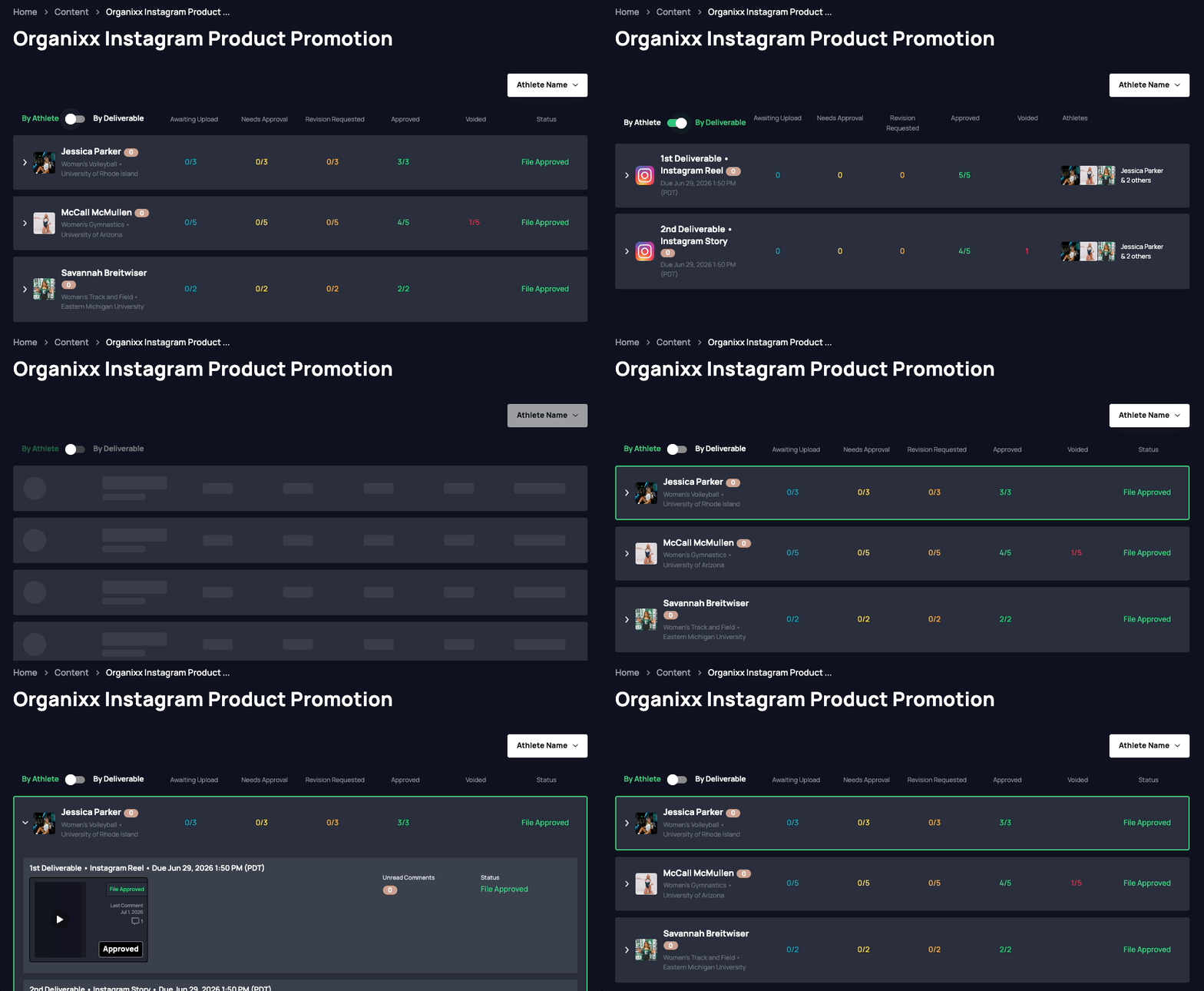
Quick takeaways
-
Deal Folders can now be accessed directly from the Content Tab
-
Brands can review draft content by Athlete or by Deliverable
-
The Content Tab helps reduce extra clicks by surfacing Deal Folder content in one centralized view
-
This is especially useful for large campaigns with many athletes, deliverables, and content files
How do I access Deal Folders from the Content Tab?
To access Deal Folders from the Content Tab, log in to MOGL and navigate to the Content section of your Brand dashboard.
From there, select the campaign you would like to review. If Deal Folders have been created for that campaign, you will be able to view the associated draft content directly within the Content Tab.
This gives Brands a more streamlined way to manage campaign production without having to open each individual Athlete deal separately.
How do I review content by Athlete?

When viewing Deal Folder content in the Content Tab, Brands can review files organized by Athlete.
This view is helpful when you want to see all of the content connected to a specific Athlete’s deal. You can review uploaded files, check their current status, leave feedback, request revisions, or approve content once it is ready.
This is similar to the traditional Deal Folder experience, but with easier access from the Content Tab.
How do I review content by Deliverable?
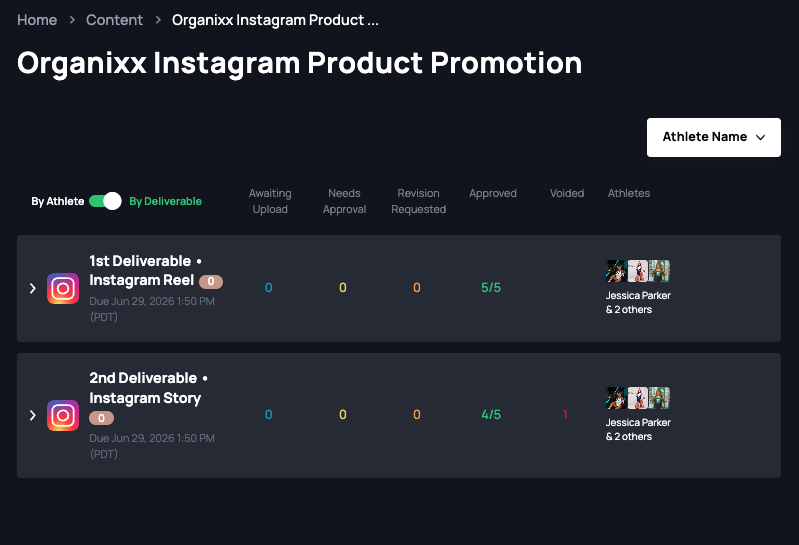
For larger campaigns, Brands can also toggle to By Deliverable.
This view allows you to review the same deliverable across multiple Athletes in one place. For example, if your campaign includes a draft TikTok video deliverable, the By Deliverable view helps you review all uploaded TikTok drafts together instead of opening each Athlete’s Deal Folder one by one.
This is especially useful for high-volume campaigns where many Athletes are submitting similar types of content.
What actions can I take from the Content Tab?
From the Content Tab, Brands can manage the same core review workflow available in Deal Folders.
Depending on the file status, you can:
-
Review uploaded draft content
-
Leave comments or feedback
-
Request revisions from the Athlete
-
Approve files that are ready to post
-
Track which files are still awaiting upload, revision, or approval
The goal is to make content review faster and easier while keeping the Deal Folder workflow native to MOGL.
What are the statuses of the files?
Each file in a Deal Folder can have one of the same statuses used in the standard Deal Folder experience:
-
Awaiting Upload
-
Needs Approval
-
Revision Requested
-
File Approved
-
Voided
These statuses help Brands understand where each piece of draft content stands in the review process.
If a deliverable is approved, the files associated with that deliverable will also be approved. If a deliverable is voided, the files associated with that deliverable will also be voided.
How this works with notifications and messaging
Deal Folders are still connected to MOGL’s messaging and notification system.
If you receive a notification related to a Deal Folder upload, revision, or approval, the notification will continue to route you to the Deal Folder inside My Deals > Deal Details.
The Content Tab gives Brands an additional review surface for managing content at scale, while the original Deal Folder location remains available for deal-specific review and messaging context.
In Summary
-
Deal Folders are now easier to access from the Content Tab
-
Brands can review content by Athlete or by Deliverable
-
The By Deliverable view is ideal for large campaigns with many similar content submissions
-
Brands can review, comment, request revisions, and approve files from one centralized campaign view
-
Deal Folder notifications and deep links will still route to My Deals > Deal Details
We hope this makes managing high-volume campaign content faster, clearer, and easier directly inside MOGL.